What a Great First Class Actually Looks Like
ORYN Quest, Inc.8 min read
Southern California
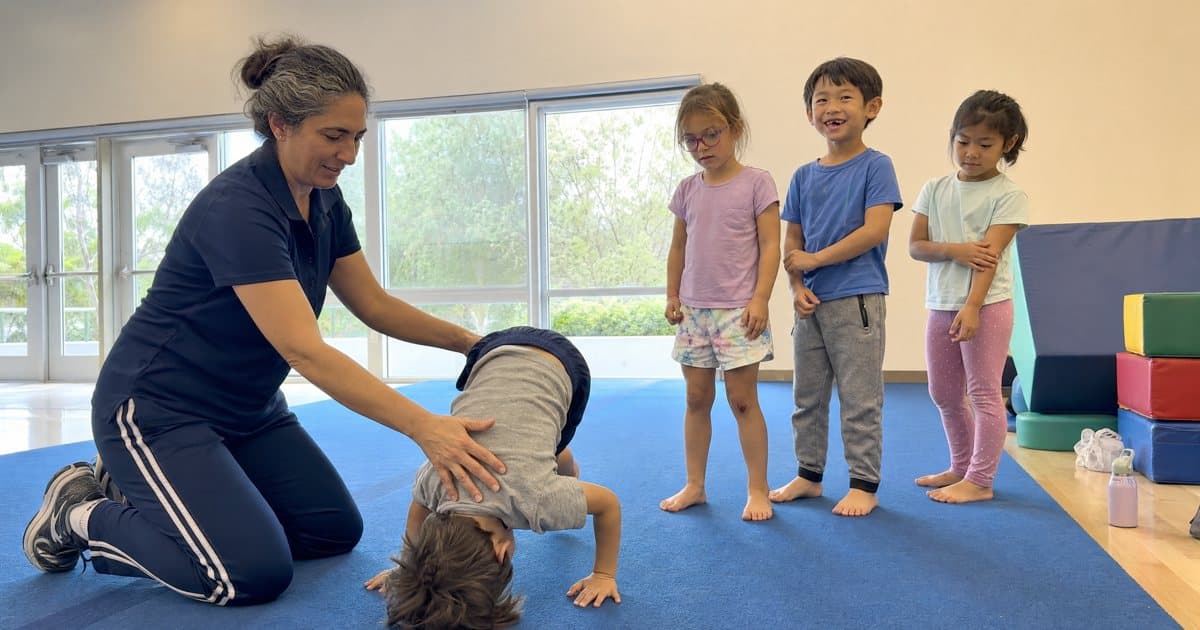
A great first class matches your child's age and interests, fits your family's logistics, and shows you real sessions with open seats before you commit. Read the listing closely, message the vendor about their approach, use the Inclusive, Wheelchair Accessible, and Sensory-friendly filters, and know the cancellation schedule first. Southern California families book all of it with credits on orynquest.com or the family app.
What a "Great Fit" Actually Looks Like for a Young Child
The first class is about the experience of walking in the door, and the activity itself matters less than parents expect. A three-year-old who loves paint does not need a technique-focused art studio. A six-year-old with big energy might do better in a sports drop-in than a seated tutoring session, at least to start.
Before you compare anything, get honest about three things at home:
- Your child's temperament this season, not last year. The kid who hated the pool at four may beg for lessons at six. Fit is a moving target, so judge the child in front of you today.
- One interest, loosely held. "Loves building things" covers LEGO clubs, robotics, woodworking, and engineering camps. Cast wide rather than betting a first outing on one narrow activity.
- Your own logistics. A wonderful class that adds forty minutes of freeway at 4 p.m. on Tuesdays will wear the whole family down by week three. Distance is a fit factor too.
If you are comparing several options at once, our guide on how to compare children's activity classes walks through the full checklist, including how to weigh distance, cost, and teaching style.
How to Read a Class Listing Before You Book
Every ORYN Quest listing shows its title, category, description, photos, credit price per seat, length, location, upcoming sessions with open seats, and reviews. Some listings add an age range, skill level, accessibility accommodations, a short video, and a waitlist.
How to actually use that information:
- Read the description for nouns, not adjectives. "Hands-on exploration with paint, clay, and collage" tells you what your child will hold. "Fun and enriching experience" tells you nothing. You want concrete nouns you can picture your kid doing.
- Look at the photos for the room, not the kids. Is it a big echoey gym or a small carpeted space? For a child who startles easily, the room often matters more than the activity. A short video, when a listing has one, is even better for this.
- Check the credit price per seat, and remember it is per seat. Every class has its own credit price, shown before you confirm. Booking two kids into the same session? Siblings booked together get a sibling discount, and you will see it before you confirm.
- Pick the session, then the class. A listing shows its upcoming sessions with open seats, so choose a date that actually has room. If the one you want is full, join the waitlist; when a seat opens, the next family on the list gets a 24-hour hold on it.
If budget is the deciding factor, our breakdown of what kids' activities really cost in Southern California gives useful context before you set a maximum credit cost in the filters.
The Questions Worth Messaging the Vendor First
You can message any listed vendor before booking, and for a first class you should. A studio that answers a nervous parent's questions patiently at the messaging stage will likely answer your child's questions patiently in person.
Good first questions:
- What does a typical first session look like, minute by minute?
- How do you handle a child who hangs back or wants to watch at first?
- What should my child wear or bring?
- Is there a spot where I can wait nearby?
That last one matters more than parents expect. Some children are ready to wave goodbye at the door; others need a parent nearby for the first session. Ask before booking if your child needs you in the room for session one, and a short practice separation somewhere familiar can tell you a lot.
Accessibility and Sensory-Friendly Filters Worth Using
This is where a kids activity booking app should do real work for real families. On Explore you can filter by category, child's age, maximum credit cost, listing type (class, camp, drop-in, birthday party), in person or online, skill level, favorites only, and text search, plus the needs filters: Inclusive (called Autism-friendly on phones and in the app), Wheelchair Accessible, and Sensory-friendly.
A few tips for using them well:
- Combine, don't settle. Sensory-friendly plus your child's age plus a maximum credit cost gets you a short, usable list. Starting too broad is how parents end up scrolling for an hour at 11 p.m.
- Let Lanti do the typing. Lanti, our built-in assistant, works by voice or chat and understands needs-based requests, for example "find a sensory-friendly art class near Pasadena." It searches by category and place, so you still pick the specific session yourself.
- Still message the vendor. A sensory-friendly label tells you the vendor has thought about it. A quick question, "what does a sensory break look like in your class?", tells you how. The difference matters.
One honest note: there is no filter for day of the week or time of day. You open a listing to see its sessions and choose one. If you are hunting weekend options, our Saturday morning kids classes shortlist does that narrowing for you.
What Check-In Looks Like on Day One
This is the simplest part of the whole thing. There is no digital pass, no QR code, nothing to print, and no code to show at the door. The vendor checks your child in from its own roster, starting about an hour before class. Bring your child. That is it.
By the time you leave the house you will already have a confirmation email with your booking reference, sent the moment you booked, plus a reminder about a day before the session. Your booking sits under My Bookings and on the in-app Calendar, and syncs to Google Calendar too if you connect it.
Two more day-one things to know:
- Waivers. Some listings need a signed waiver, done in the app before booking or on paper at the first session. Read it in advance rather than standing in a doorway with a clipboard and a wound-up child.
- The cancellation schedule, which is the same for every listing. More than 48 hours before the session, you get 100% of your credits back; 24 to 48 hours before, 50%; under 24 hours, nothing. The exact amount is shown before you confirm, and refunded credits return instantly. If the vendor cancels, you get 100% back. Moving to another session of the same listing is free while the class is more than 48 hours away. Inside 48 hours it can't be moved, but you can still cancel under the schedule above.
Life with young children is a cancellation machine, so this schedule is worth memorizing. Sick grandparent, surprise fever, birthday party invitation that trumps everything: the 48-hour line is your friend, for moving and for cancelling.
After Class: Reviews, Feedback, and Booking the Next One
After a completed booking, you can leave one review, and vendors can reply publicly. That reply is worth reading when you research: a studio that responds to a critical review with specifics ("we have since split the four-year-olds into their own group") is telling you something a five-star average cannot.
The vendor can also send your family short feedback after a completed class, covering things like engagement, focus, social skills, and confidence, plus a note. For a first class especially, this is gold. "She watched for twenty minutes, then joined the last activity" tells you more about fit than any star rating.
Then the decision: book again or try something new. If it went well, the same listing's upcoming sessions are right there. If it flopped, that is a common first-class outcome. Try a different category entirely, or a different session of a listing you liked. Families juggling after-school activities on a budget often plan this way: one anchor class the child loves, plus rotating drop-ins to sample everything else.
Find classes, camps and lessons near you on Explore.
Questions parents ask
- How do credits work on ORYN Quest?
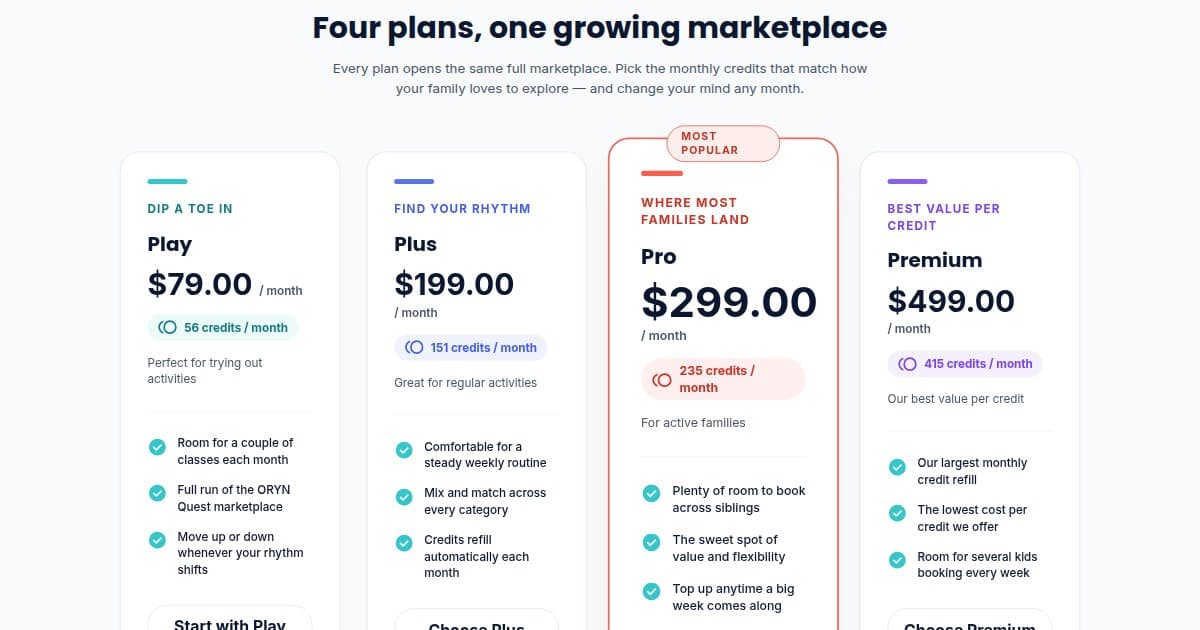
Every class has its own credit price, shown before you confirm. Credits arrive monthly with your plan and do not expire: unused credits roll over, and each month's credits are added on top. You can upgrade, downgrade, or cancel any time, self-serve. Current plan details live at orynquest.com/pricing.
- What if my child doesn't enjoy the class?
If the class is more than 48 hours away, you can move the booking to another session of the same listing for free. You can also cancel under the standard schedule: 100% back more than 48 hours out, 50% back 24 to 48 hours out, nothing under 24 hours. Afterward, leave a review so the next parent benefits from what you learned about fit.
- How do I find sensory-friendly or Inclusive listings?
Use the Inclusive, Wheelchair Accessible, and Sensory-friendly filters on Explore, or ask Lanti, our assistant, by typing or voice, for example "find a sensory-friendly art class near Pasadena." Your child's profile can also record sensory-support needs, which Lanti can use when suggesting activities.
- Can Lanti book a class for me?
Lanti can search listings, show your bookings and credits, message a vendor, join a waitlist, and prepare a booking, reschedule, or cancellation. A booking always needs your tap on Confirm on screen; Lanti never books on its own. Other changes are confirmed by you too, on screen or by saying yes when you use voice.
- Do I need to show anything at check-in?
No. There is no pass, QR code, or scan. The vendor checks your child in from its own roster, starting about an hour before class. Bring your child, and that is it.
When you have a shortlist, open Explore on orynquest.com or the ORYN Quest family app, filter for what your family needs, and message any vendor whose first answer sounds like a good fit.
Get ORYN news by email
An occasional email about new classes and events. We'll send a link to confirm first.
Every email has a one-click unsubscribe link.
About ORYN Quest. ORYN Quest is a credit-based marketplace for children's activities: parents pick a monthly plan and book real classes and lessons from local vendors. Vendor earnings and any fees follow the applicable participation agreement and fee schedule. Southern California today. Questions: support@orynquest.com.