Use ORYN Quest to Fill Last-Minute Open Spots
ORYN Team9 min read
Southern California
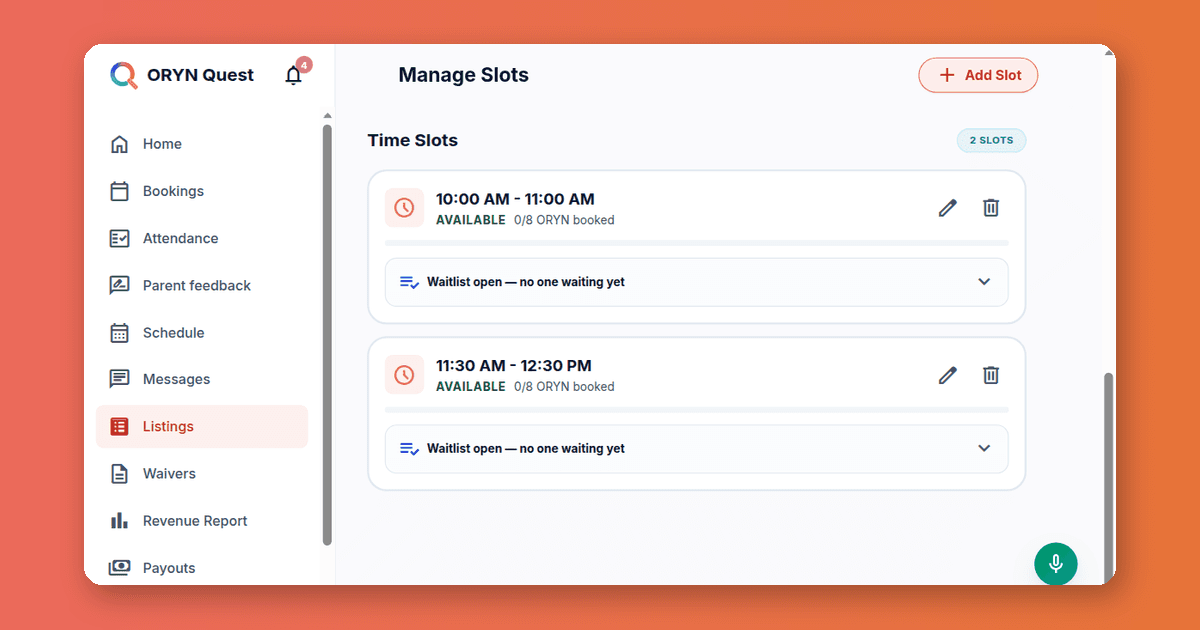
Southern California vendors can use the ORYN Quest vendor dashboard to see open seats, launch last-minute deals, and manage waitlists for kids' classes, camps, and lessons. The portal's Bookings, Attendance, Schedule, Listings, Messages, and Revenue Report tabs cover the whole workflow, on desktop or in a phone browser. ORYN Quest serves business ZIP codes starting 900 through 935 today.
Why You Need a Last-Minute Seat Plan in 2026
An empty seat in a class that starts in three hours is a different problem from an empty seat in a class that starts in three weeks. The three-week seat responds to marketing: a better photo, a clearer description, a stronger instructor bio. The three-hour seat responds to speed, because families browsing tonight want to book tonight, and anything that requires email ping-pong will lose them.
So build two habits. The weekly habit is keeping listings sharp, which is a whole discipline of its own: our guide on how to fill open spots in a kids' class without discounting covers the slower-moving levers in depth. The daily habit is a ten-minute morning routine: check the roster, spot the sessions with open seats, and act before your teaching day starts. This post is about that daily routine.
Know your fill patterns before you plan. Pull out a piece of paper and mark, for each recurring class, the sessions that ran light over the past two months. Most studios find the gaps are not random: Monday 4 p.m. slots after a school holiday, Saturday mornings during sports season tryouts, the first week of a new term before word of mouth catches up. When you know which sessions habitually run light, you can act days ahead instead of reacting on the day.
One piece of reassurance first. When a family cancels late or does not show up, you still get paid: under 24 hours before class or a no-show pays you your full payout for that seat, and a cancellation 24 to 48 hours out pays half. An empty seat on the day of class is not automatically lost money. Still, a filled seat pays you and starts a relationship with a local family, so aim to fill, not just to recover.
Vendor Dashboard Fill Open Spots: Check Today's Roster First
Start on the Home dashboard, then open Attendance. You are answering three questions: how many seats does each session still have open, how many children are expected, and is anything unusual happening today, such as a cluster of cancellations from one district's schedule change?
Make the roster check part of your setup routine, right alongside laying out mats and testing speakers. A studio owner who knows at 8 a.m. that the 4 p.m. gymnastics class has four open seats has all day to act on it. One who discovers it at 3:45 p.m. has almost nothing.
Build a simple triage rule so the check does not turn into a meeting with yourself. If a session is more than 80% full, do nothing. If it is half to 80% full, it is healthy but worth watching tomorrow. If it is under half full and starts today or tomorrow, that is your action item, and the next two sections are your tools. Write the rule on a sticky note if you have to. The point of the routine is that it takes ten minutes, not an hour of deliberation.
Lanti, the assistant built into the portal, can show you today's roster by voice or chat, which is faster than tapping through tabs when your hands are full.
Use Last-Minute Deals for Classes Starting Within 24 Hours
The last-minute deal is your strongest day-of tool. You can offer 5% to 75% off sessions starting within 24 hours that still have open seats, and ORYN pays the discount, so it never reduces your payout. The 24-hour window also means you are not training families to wait for sales on your whole term.
Think about how parents actually browse. Many are staring down a free afternoon, a restless seven-year-old, and a 4 p.m. gap. A same-day art class at 20% off is an easy yes, especially on the sort of day when a family's original plan fell through. The discount is not cheapening your class; it is meeting a family at the exact moment they need somewhere to go.
Choose your percentage with intent. A small discount, 10 to 15%, nudges families who were already considering you. A bigger one, 40% and up, is for a session that would otherwise run nearly empty, where a filled seat also means fuller room energy and a better class for the kids who did sign up. Never discount out of panic; discount because you know what the session looks like at each fill level.
Two cautions from studios that have done this a while. First, do not stack a deal on a session you already expect to fill; you are giving away margin for nothing. Second, if a particular day and time needs a deal every single week, the problem is the schedule, not the discount. Move that session, merge it, or retire it.
If your base price needs work before you discount around it, our simple pricing method for studios walks through setting a per-seat price that holds up year-round, and the guide on tutoring rates per hour covers subject-specific pricing.
Turn On Waitlists to Catch Cancellations and Empty Seats
The waitlist is the tool that works while you sleep. You turn it on per listing and set a maximum size, with a default of 30. When a seat opens, the next family on the list gets a 24-hour hold on it. If they do not use the hold, it passes to the next family, and the system checks for unused holds every 15 minutes. No spreadsheet, no manual re-offering, no "I forgot to email the second family on the list."
A waitlist also doubles as free market research. If a class consistently carries ten families waiting, that is a clear signal to open a second session at the same time, or move a struggling session to that slot. The list is demand you can count, not demand you have to guess at.
Waitlists pair well with last-minute deals. A cancellation that comes in more than 48 hours out triggers the waitlist family's hold, and the seat refills itself. A cancellation inside 24 hours pays you anyway, and a last-minute deal can put a brand-new child in that seat on top of it. For filling seats weeks out, the post on filling a kids class in 2026 covers booking-page changes that lift bookings before the crunch.
Send Careful Messages to Upcoming Families
Messaging is where seat-filling either compounds or stalls. A pre-class message with parking directions and what to bring reduces no-shows, because families who know exactly where to go show up. A quick, warm reply before a first class calms first-time-family nerves, and reply speed can also influence search ranking.
Two rules matter here. Do not quote dollar prices in chat, and do not ask for payment outside ORYN Quest for bookings made on ORYN Quest. Messages containing dollar prices or payment-transfer requests are flagged for review. You can absolutely run your business outside ORYN Quest; you just cannot pull ORYN bookings off it.
Lanti can draft messages and message individual customers, with your confirmation, though messaging all upcoming customers always needs your tap on Confirm on screen. You stay responsible for anything the assistant helps write, so read before you send and keep the tone specific. "Bring socks and a water bottle, doors open at 3:45" beats a generic greeting every time.
Timing tip: send your reminder message the evening before, not the morning of. Evening messages get read during the family's planning window, when a conflict can still be resolved. Morning-of messages often arrive after the school-run chaos has already swallowed the plan, and you inherit the no-show instead.
Trust carries into your listing too. The guide on writing an instructor bio parents trust shows what belongs in one and what makes parents hesitate.
Use Check-In, Attendance, and Revenue Tools After Class
After class, close the loop. Check-in opens one hour before class, and check-out opens when class starts. Checking a child out completes the session, which makes it payable, so accurate attendance is part of your revenue flow, not busywork. If you forget a check-out, the platform completes the session on its own within a few hours of class ending.
Every completed session is also a review opportunity, since only a parent with a completed booking can review, and you can reply publicly. A short, gracious reply to a three-star review often does more for future families than the review itself. After a completed class you can also rate how the child took part across things like engagement and confidence, and those ratings feed the child's Progress page in the parent's account. Families genuinely notice when a studio tells them something specific about their kid, and that specificity is a quiet rebooking engine.
Finally, keep an eye on the Revenue Report, which shows earnings by month and by listing with a six-month chart. Payouts run monthly through Stripe, for sessions at least 14 days old, once at least $50 is due, and ORYN pays the fee on that regular monthly payout. If you are new to Stripe payouts, Stripe's documentation explains how payout timing to your bank works. Since vendors handle their own taxes, the IRS Self-employed individuals tax center is the right reference for what that means at filing time.
Run a kids' activity business? See how ORYN Quest works for vendors.
Questions vendors ask
- Can I offer a discount on classes that start more than 24 hours away?
No. The last-minute deal applies only to sessions starting within 24 hours that still have open seats, at 5% to 75% off. For sessions further out, work on the listing itself: description, photos, schedule, and price. ORYN pays for last-minute deals, so they never reduce your payout.
- Do I get paid when a family cancels late or does not show up?
Yes. A cancellation under 24 hours before class or a no-show pays you your full payout for that seat, and a cancellation 24 to 48 hours out pays half. If you cancel the session yourself, you are not paid for it, so communication with booked families matters.
- What can Lanti do by voice?
Lanti can show today's roster, draft messages, reply to reviews, mark attendance, and add time slots, with confirmation in chat or a spoken yes. Publishing a listing and messaging all upcoming customers always need a tap on screen.
- How big should my waitlist be?
You set the maximum per listing, and the default is 30. When a seat opens, the next family gets a 24-hour hold, and unused holds pass down the line. You see names and places in line, but no contact details.
- Is there a fee to use the vendor tools?
Applying, listing classes, and every vendor tool are free. When families book through ORYN Quest, ORYN retains an agreed percentage of the listed class price to support discovery, bookings, and payments.
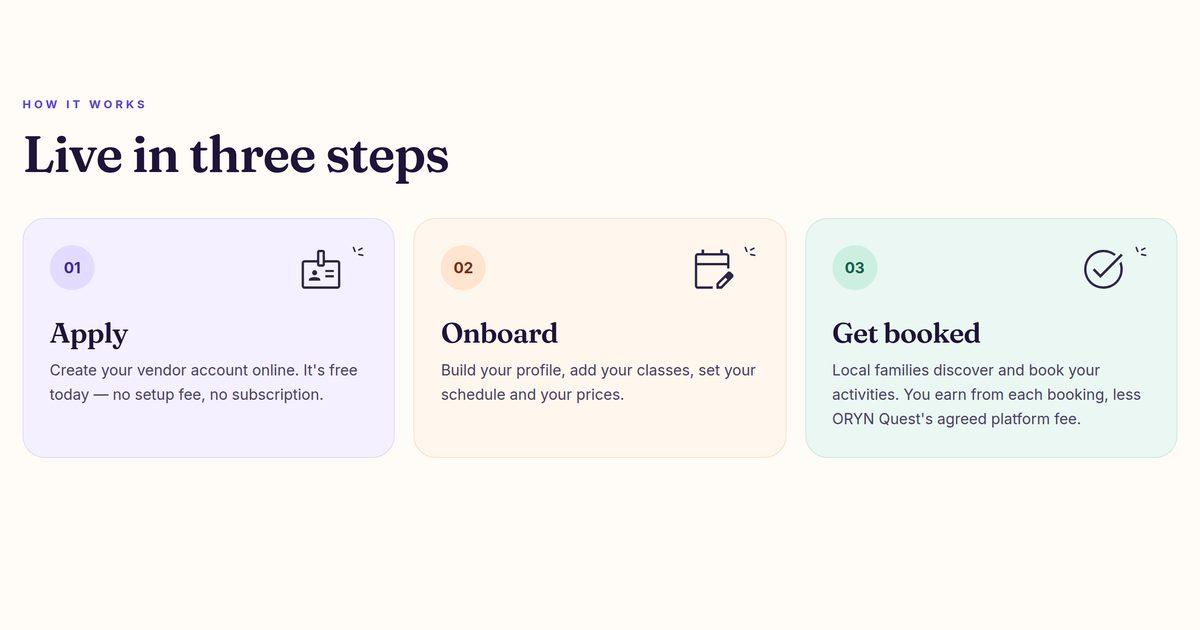
Ready to put the dashboard to work? Apply at orynquest.com/vendor-apply, or reach the team at support@orynquest.com with questions.
Get ORYN news by email
An occasional email about new classes and events. We'll send a link to confirm first.
Every email has a one-click unsubscribe link.
About ORYN Quest. ORYN Quest is a credit-based marketplace for children's activities: parents pick a monthly plan and book real classes and lessons from local vendors. Vendor earnings and any fees follow the applicable participation agreement and fee schedule. Southern California today. Questions: support@orynquest.com.